
A judgment has been awarded to you, but the money hasn’t arrived, yet. We’ve discussed the option of Garnishment in my previous blog. You probably have also heard of a Writ of Seizure and Sale, but how to start the process? Does it have to be filed at the Sheriff’s Office? Did you also accidentally call the York regional police for a sheriff? Oops! Fortunately, there is a new route to have a Writ issued electronically via WritFiling. We will walk you through both options.
Issuance Through the Registrar
A creditor can submit a Writ of Seizure and Sale (Form 60A) (“Writ”) to be issued with a Requisition form at the court registrar where the original proceeding commenced[1].
The Requisition form should detail the date and the amount of payment received, the amount owing, and the rate of post-judgement interest[2]. A copy of the Order should be attached to the Requisition form.
Once a Writ is issued, it may be filed with a Sheriff[3]. The Sheriff’s office is the Enforcement office of the Superior Court of Justice (NOT the police office!)
While the Writ should be issued where the Judgment was granted, it must be filed at the Enforcement office in the region where the debtor lives or owns assets. For example, if your judgment is issued in Toronto and the debtor lives in Richmond Hill. The Writ should be issued in Toronto, but the issued Writ is to be filed at the Sheriff’s Office in Newmarket court.
You may locate the Enforcement office through the following website: https://www.onwrits.ca/en/enforcement-offices/.
For Writ of Seizure and Sale of a property, the Writ should include a legal description of the real property, which can be found in the parcel register. Check out my previous blog: a walk through of the parcel register.
Issuance Through the WritFiling
During the Covid-19 pandemic, technology streamlined the process for legal professionals to issue and file Writs remotely[4].
An authorized user such as a lawyer or a paralegal[5] (for Form 20D: Writ of Seizure and Sale of Land only) may electronically issue the Writ through WritFiling, a product of Teranet software, instead of filing through registrar and enforcement office[6]. An electronically issued Writ is considered to have been both issued by the court and filed with the Sheriff[7].
To use this service, authorized users may submit an application and will receive a secure token. WritFiling has very detailed user guide on application and how to file and issue a Writ.
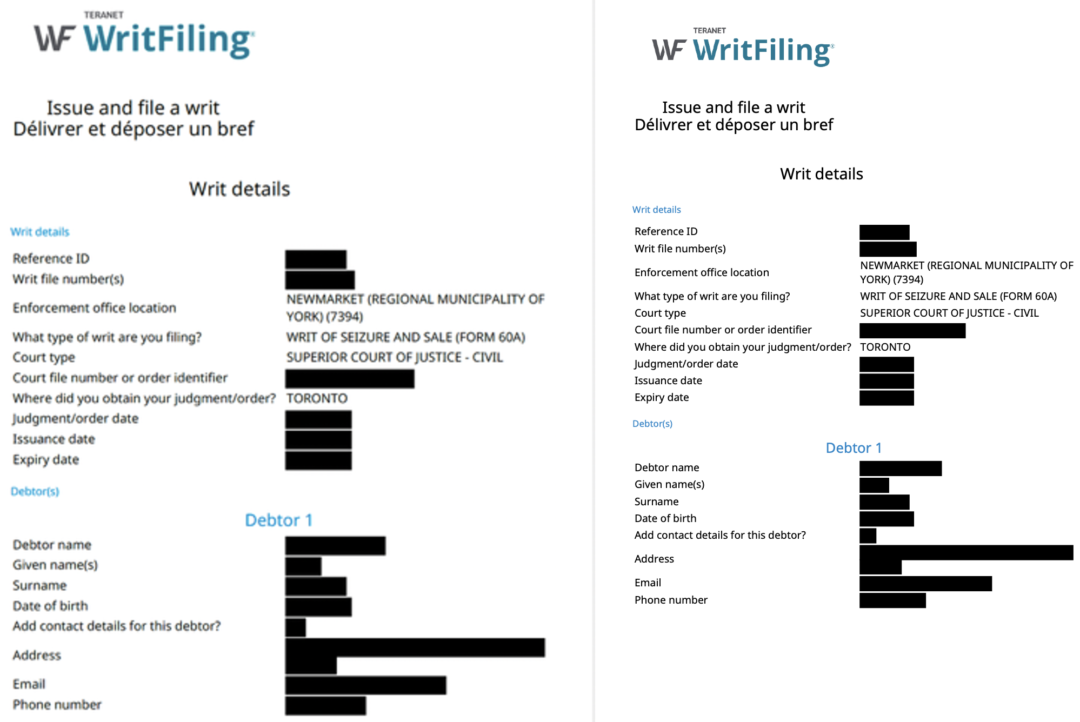
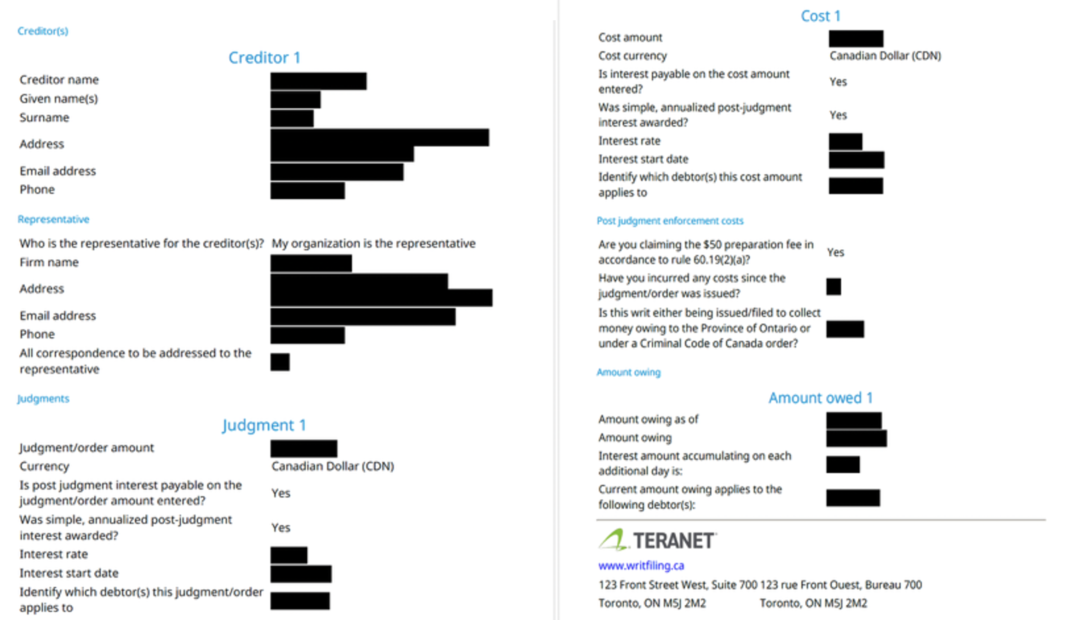
The filing process is very straightforward, and the issued Writ is designed to be clear and easy to understand. A service fee of $34.95 plus HST will be applied each time. Below is a sample of an electronically issued Writ of Seizure and Sale for your reference.
Whether you choose to file the Writ through the court registrar yourself or retain a lawyer to file through WritFiling, understanding the procedural nuances is the key to successfully enforcing the Judgment and collecting the debts. In my next blog, we will dive deeper into the next phase: how to direct the Sheriff to enforce your issued Writ.
Nothing contained in this post constitutes legal advice or establishes a solicitor-client relationship. If you have any questions regarding your legal rights or legal obligations, you should consult a lawyer.
[1] Rules of Civil Procedure, R.R.O. 1990, Regulation 194 [“Rules”], Rule 60.07(1).
[2] ibid
[3] Ibid at Rule 60.07 (5.1)
[4] “Teranet WritFling Solution Expands Services to Offer Convenience and Facilitate Collaboration.” Teranet, November 23, 2020, Online: <https://www.teranet.ca/insights/teranet-writfiling-solution-expands-services-to-offer-convenience-and-facilitate-collaboration/>
[5] Supra at Rule 60.07(0.1)
[6] Rules, Rule 60.07(1.1)
[7] Ibid at Rule 60.07(1.3); “How do I file/issue or file a writ?”, WritFiling, Online:<https://www.onwrits.ca/en/help-support/support/faq/issue-file-a-writ/how-do-i-file-issue-or-file-a-writ/>